 Hi5 Jamaica Services
Laptop & Desktop Memory (RAM) Upgrades Services in Kingston, Jamaica
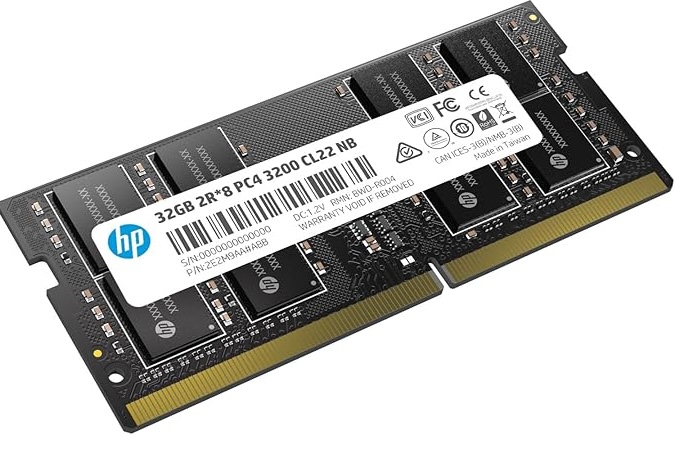
What Laptop and Desktop Memory Upgrades Include
A memory upgrade, also called RAM upgrade, boosts your computer’s performance by adding more gigabytes of memory. We install compatible memory modules into your laptop or desktop, allowing your system to run more applications smoothly and handle larger files without slowdown. Whether you need a laptop RAM upgrade or a desktop RAM upgrade, we ensure the new memory matches your device’s specifications perfectly.
Our service covers:
- Diagnosis of your current memory capacity and type
- Supply of quality, compatible RAM modules
- Professional installation with care for your hardware
- Testing to confirm the upgrade works correctly
- Advice on how much memory your work requires
When You Need a Memory Upgrade
If your laptop or desktop feels slow, freezes frequently, or struggles when you open multiple browser tabs or programs, you likely need more RAM. Video editing, graphic design, programming, and gaming all demand significant memory. A memory upgrade is often cheaper and faster than replacing your entire computer, making it the smart choice for Kingston users looking to extend their device’s life.
You may also want a desktop or laptop RAM upgrade if you recently installed new software that your current memory cannot support smoothly.
How the Process Works
Message us on WhatsApp with your device model and what you use your computer for. We will recommend the right capacity and type of RAM for your needs. Once you approve, we order or supply the memory and schedule installation at your convenience. The whole laptop and desktop memory upgrade typically takes 2 days to 2 weeks. We test everything before returning your device to ensure it performs as expected.
Pricing for a memory upgrade starts at JMD $12,500 – $29,500, depending on how much RAM you need and your device type.
What to Send Us on WhatsApp
To get started with your laptop or desktop memory upgrade, message us with:
- Your device brand and model (for example, Dell XPS or HP Pavilion)
- How much RAM you currently have
- What tasks are making your computer slow
- Your budget, if you have one in mind
We will reply with an exact quote and timeline for your memory upgrade in Kingston.
Send Us a WhatsApp Message
Share your device model, photos, and a short video of the issue. We’ll respond with a more accurate quote and timeline, usually within an hour during business hours.